
MCP servers
On this page
MCP servers give the assistant tools. Where Integrations let the assistant read your documents, MCP servers let it do things — open a Linear issue, post in Slack, push to a Notion database, run a query in your internal API. "MCP" stands for Model Context Protocol: an open standard for exposing tools to AI agents.
Integration vs MCP — what's the difference#
| Aspect | Integration | MCP server |
|---|---|---|
| What it does | Brings the system's documents into the knowledge base. | Gives the assistant tools to act in the system. |
| The assistant can… | Read the content and cite it in answers. | Do things — create, update, query live data. |
| Data freshness | A snapshot from the last sync; re-sync to update. | Live — the assistant calls the system in the moment. |
| Use it when | You want answers grounded in your team's documents. | You want the assistant to perform tasks, not just answer. |
For workspace admins — register an MCP server#
Open MCP servers
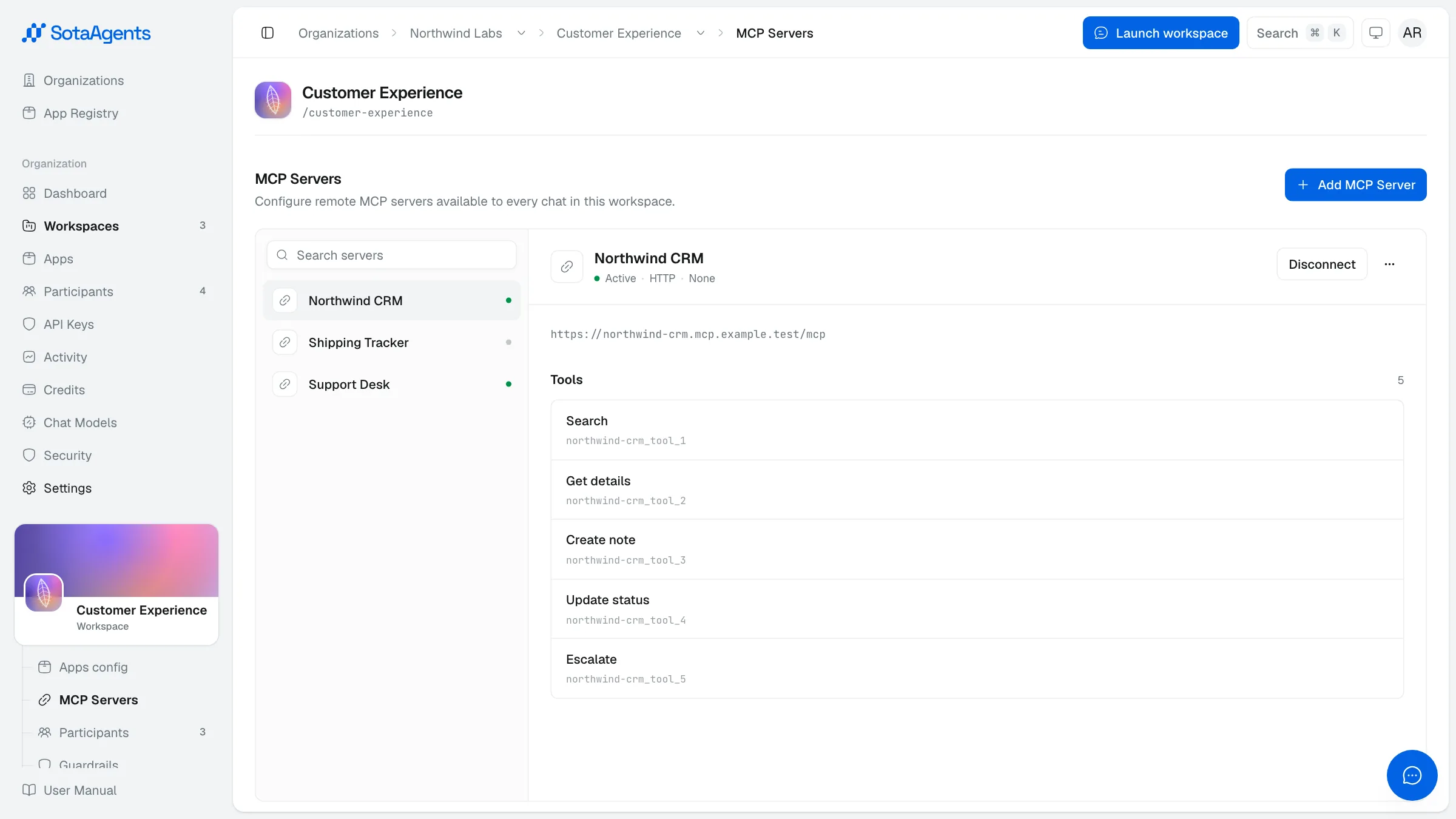
From the workspace console choose MCP Servers. The screen lists every server connected to this workspace.
Add a server
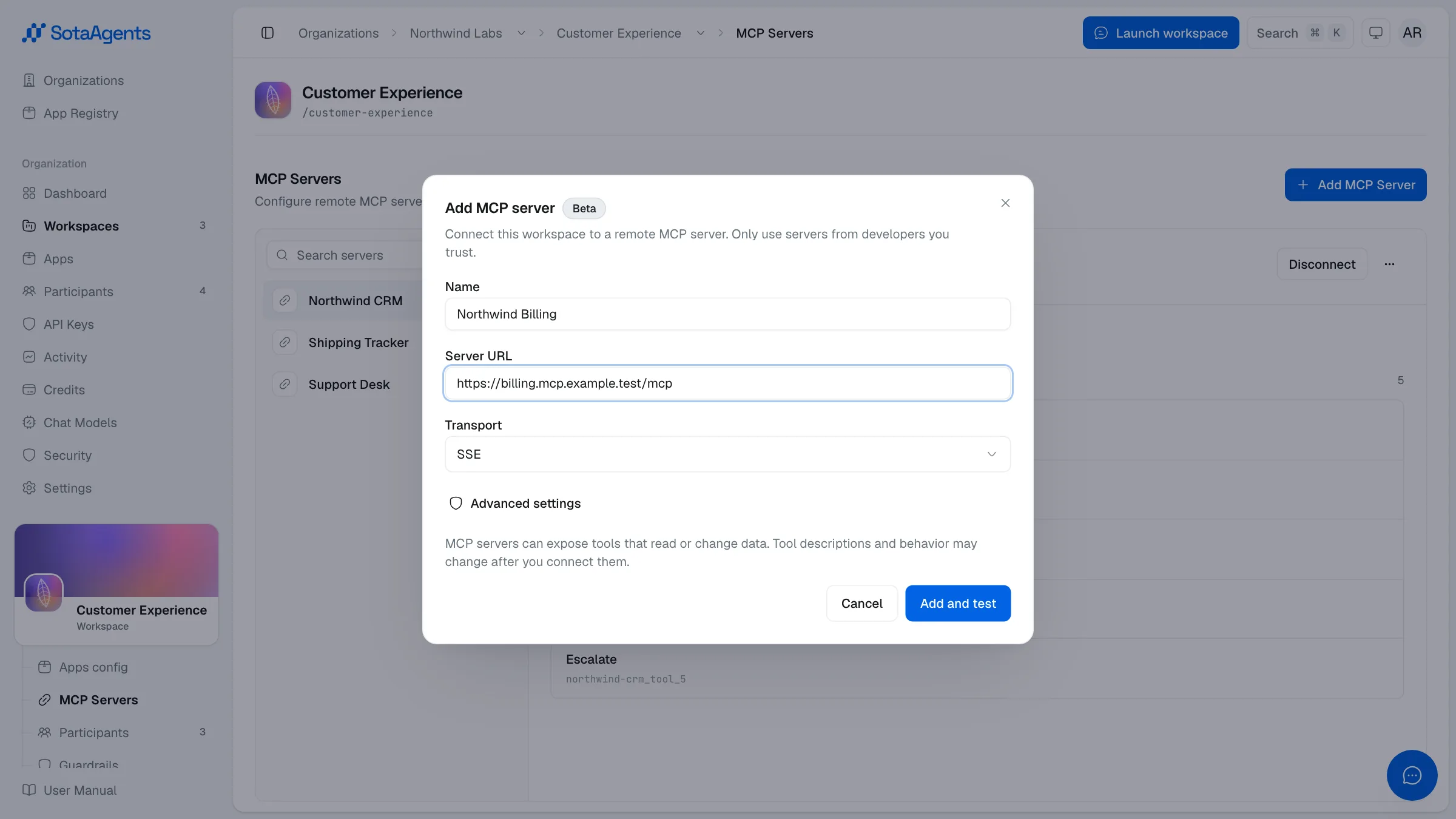
Click Add server. Fill in a Name, the server's HTTPS URL, and an Auth method (OAuth for SaaS apps, API key for internal tools, or None).
Authenticate
For OAuth servers, click Connect and approve the scopes in the browser. For API-key servers, paste the key into the form — it's encrypted and never shown again.
Test and refresh tools
Use the Test button to confirm the connection. Then click Refresh tools to pull the server's tool catalog into the workspace.
Allow tools per workspace
The tools are available to the assistant automatically once the server is connected. You can restrict which tools appear by toggling them off here. Anything toggled off is invisible to the assistant.
Common MCP servers#
| Server | What the assistant can do | Auth |
|---|---|---|
| Linear | Create / read / update issues, comments, and assignees | OAuth |
| Notion | Search pages, create pages, update database rows | OAuth |
| Slack | Post messages, read channels, look up users | OAuth |
| GitHub | Read PRs, leave comments, search code, trigger workflows | OAuth or PAT |
| Asana | List tasks, create tasks, update status | OAuth |
| Internal HTTP MCP | Whatever your engineers expose | API key |
The assistant will use any tool you give it when it thinks it's helpful. Don't expose destructive tools (delete, drop, force-push) unless the assistant's role explicitly needs them.