
Credit management
SotaAgents bills usage as credit at the organization level. Every chat turn, document generation, image generation, and tool call consumes credit. Navigate to Console → Your org → Credits. The current screen has five tabs: Credit Allocation, Member Allocation, Credit Alerts, Credit Logs, and Guest Credits (when admitted for your role/deployment).
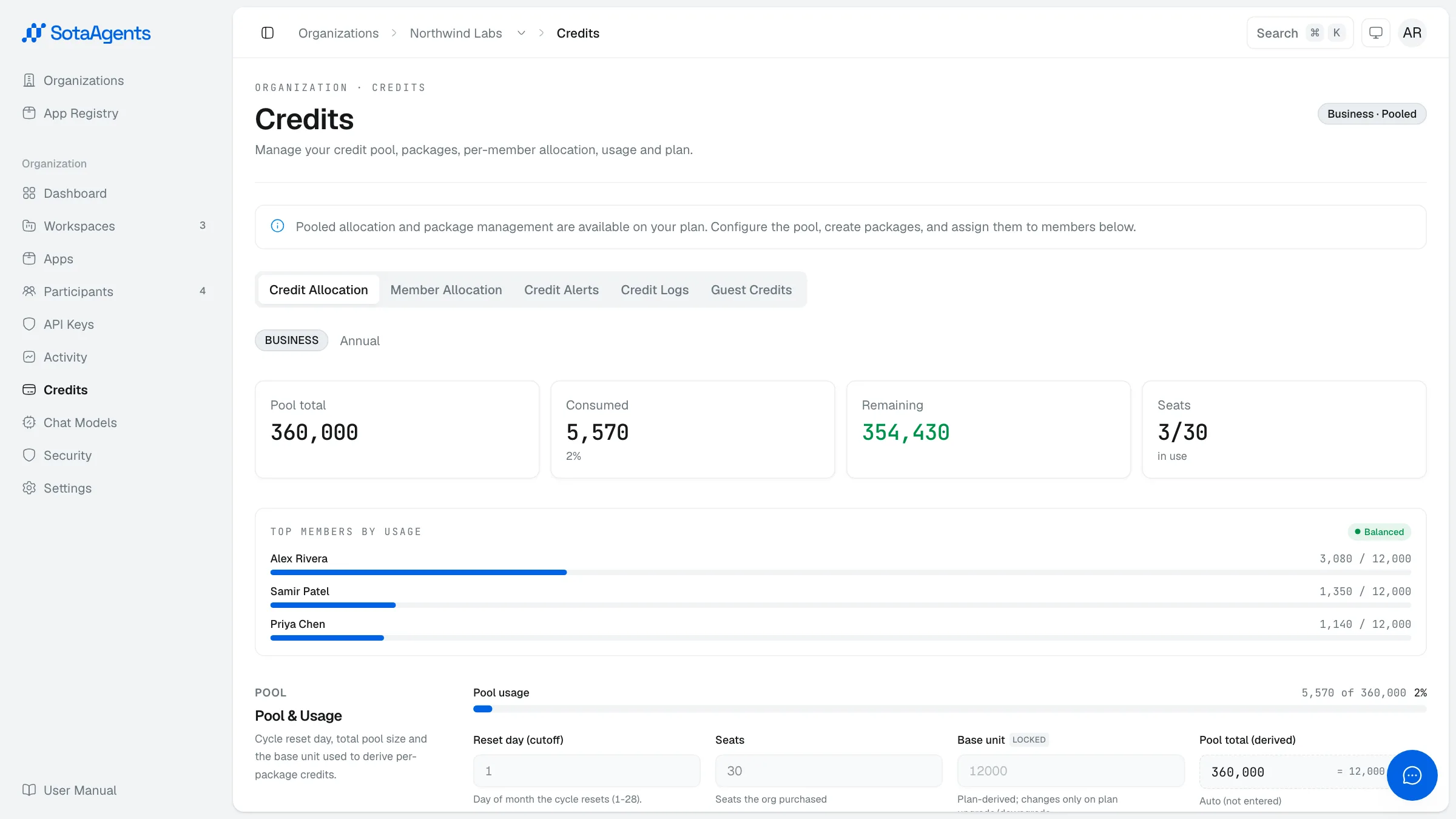
Credit Allocation#
The top of this tab shows a KPI band summarising the org's credit position. What appears depends on your plan:
- Business / Enterprise (pooled): Pool total, Consumed, Remaining, and Seats count. A live pool consumption bar shows usage against the org-wide cap.
- Other plans (per-seat): Seats, Base unit, Billing cycle, and Reset day.
Below the KPI band, a per-seat usage bar list shows the top 10 members by consumption. Bars are colour-coded: green (within limit), amber (near limit), red (blocked / over quota).
The Reset day (cutoff day, 1–28) and Seats fields are editable by the SotaAgents operations team only — not by org owners or admins.
Credit packages (Business and Enterprise only)
On Business and Enterprise plans, org owners and admins can create named credit packages — each defined by a multiplier applied to the org's base unit (base unit is plan-derived and cannot be edited). One package is marked as the default and assigned to new members automatically. The table shows a Members count. A package assigned to one or more members cannot be deleted; reassign those members first. Existing assignments are preserved when a package is deactivated.
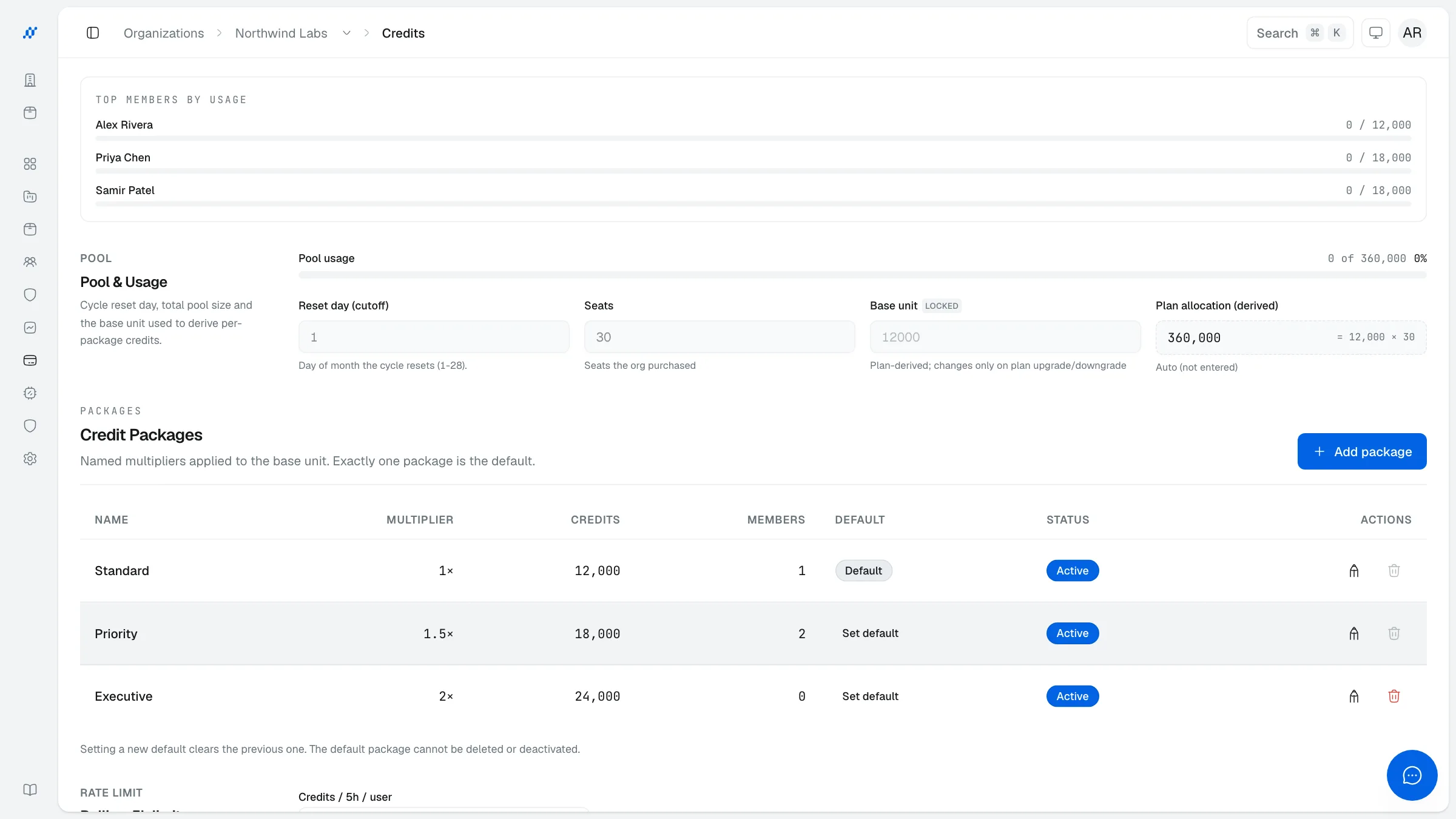
Rolling 5-hour limit
Editable by org owners and admins. Set a maximum number of credits any single user can spend within any rolling 5-hour window. Leave blank for unlimited. Once a member hits their limit, further requests are blocked until the window moves forward. Available on all plans.
Member Allocation#
A paginated table of all org members showing each person's consumed credits, allocated credits, remaining balance, and a progress bar. Rows highlighted in red are over quota (consumed exceeds allocated).
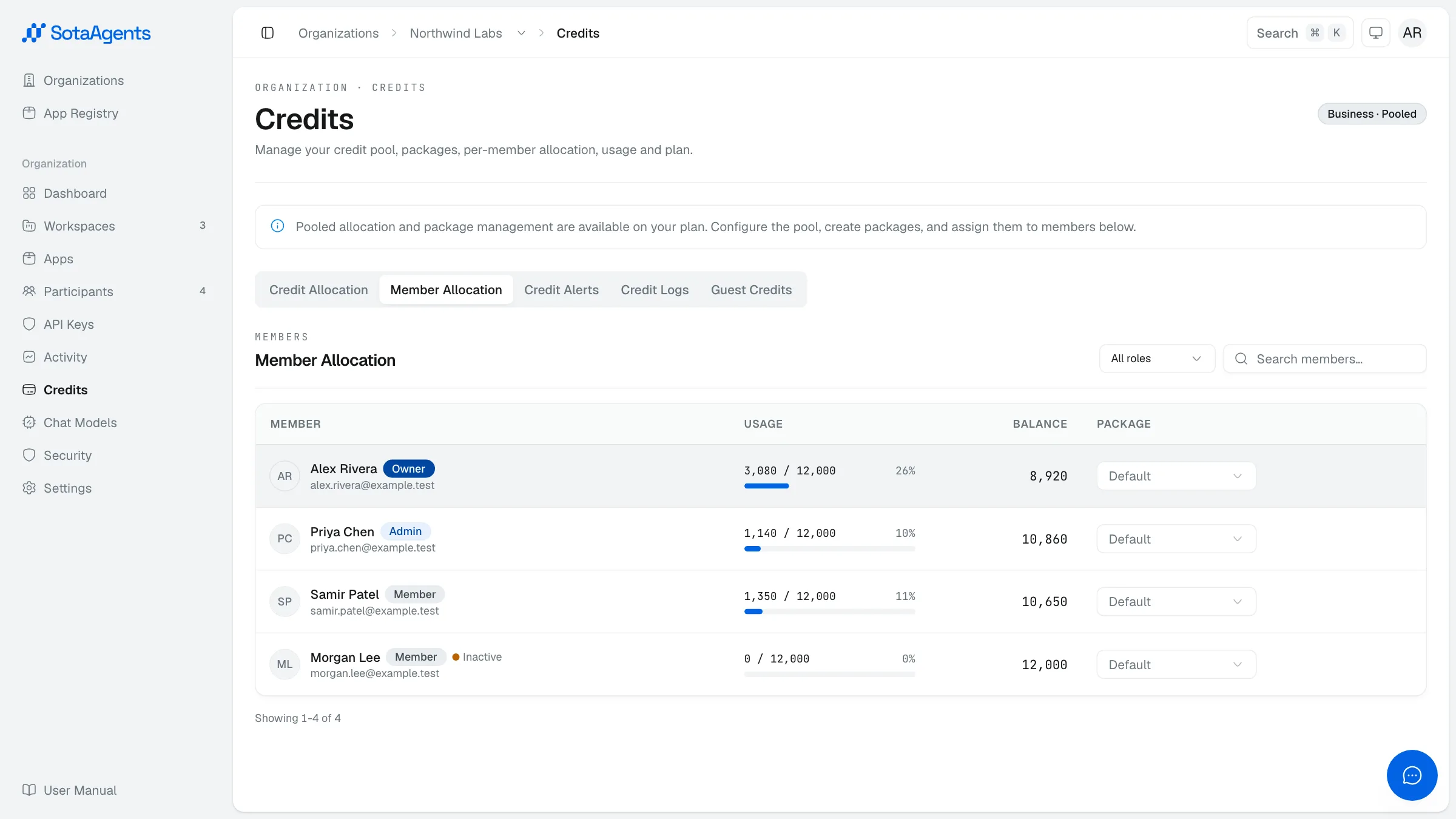
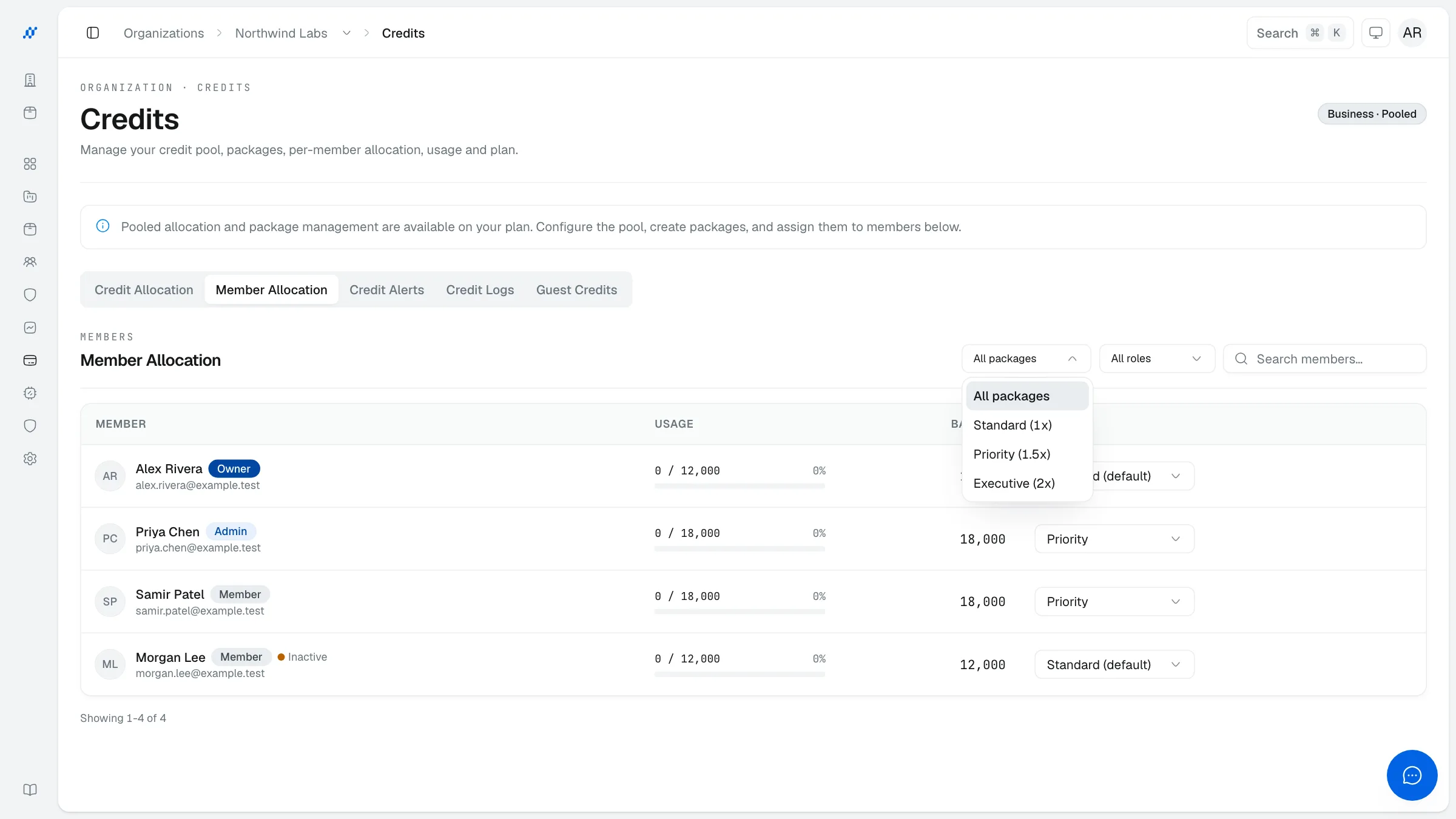
- Search and filter by name, role (Owner / Admin / Member), or credit package.
- Assign a package to a member (Business and Enterprise only, org owner or admin) — overrides the default package for that user.
Credit Alerts#
Configure per-workspace credit alerts so admins are notified by email when usage crosses a threshold. Alerts fire based on a configurable rolling time window (1–24 hours).
Select a workspace
Go to Console → Your org → Credits → Credit Alerts and choose the workspace to configure from the dropdown.
Set the monitoring window
Enter a Window (hours) value between 1 and 24. The alert checks credit consumption within this rolling window.
Set thresholds
Toggle on a Warning threshold, a Critical threshold, or both. Enter a credit amount for each. The critical threshold must be higher than the warning threshold.
Add extra recipients (optional)
Enter additional email addresses (comma or newline separated, up to 10) to notify beyond the default workspace admins.
Save
Click Save. Email alerts fire when the workspace crosses a threshold within the configured window.
Credit Logs#
An append-only ledger of every credit transaction. Filter by date range (30d / 90d / custom), provider (chat, Knowledge Base, Office App, Web Search, CAD, Remagine, sandbox…), user, or free text. Export to CSV. Visible to org admins and owners only.
Each entry records: timestamp, user, provider, credits charged, USD cost, and the balance after the transaction.
Guest Credits#
Guest/public chat draws from a dedicated organization guest pool, separate from normal member allocation. Organization Owners/Admins can read the add-on, review pool and per-workspace usage, and set workspace monthly limits and alert thresholds. Creating, pausing, resuming, scheduling cancellation, or changing the Guest Credit add-on itself is a SotaAgents operations action.