
History
Ordinary, successfully created chats are saved in workspace history. Incognito chats are not retained in History: Core may persist them temporarily while the session is active, then purges them on close or expiry, with a 24-hour upper bound. A first turn blocked by guardrails or one that fails before the conversation is created may also leave no history entry. The sidebar lists retained conversations under Recents.
Find a conversation
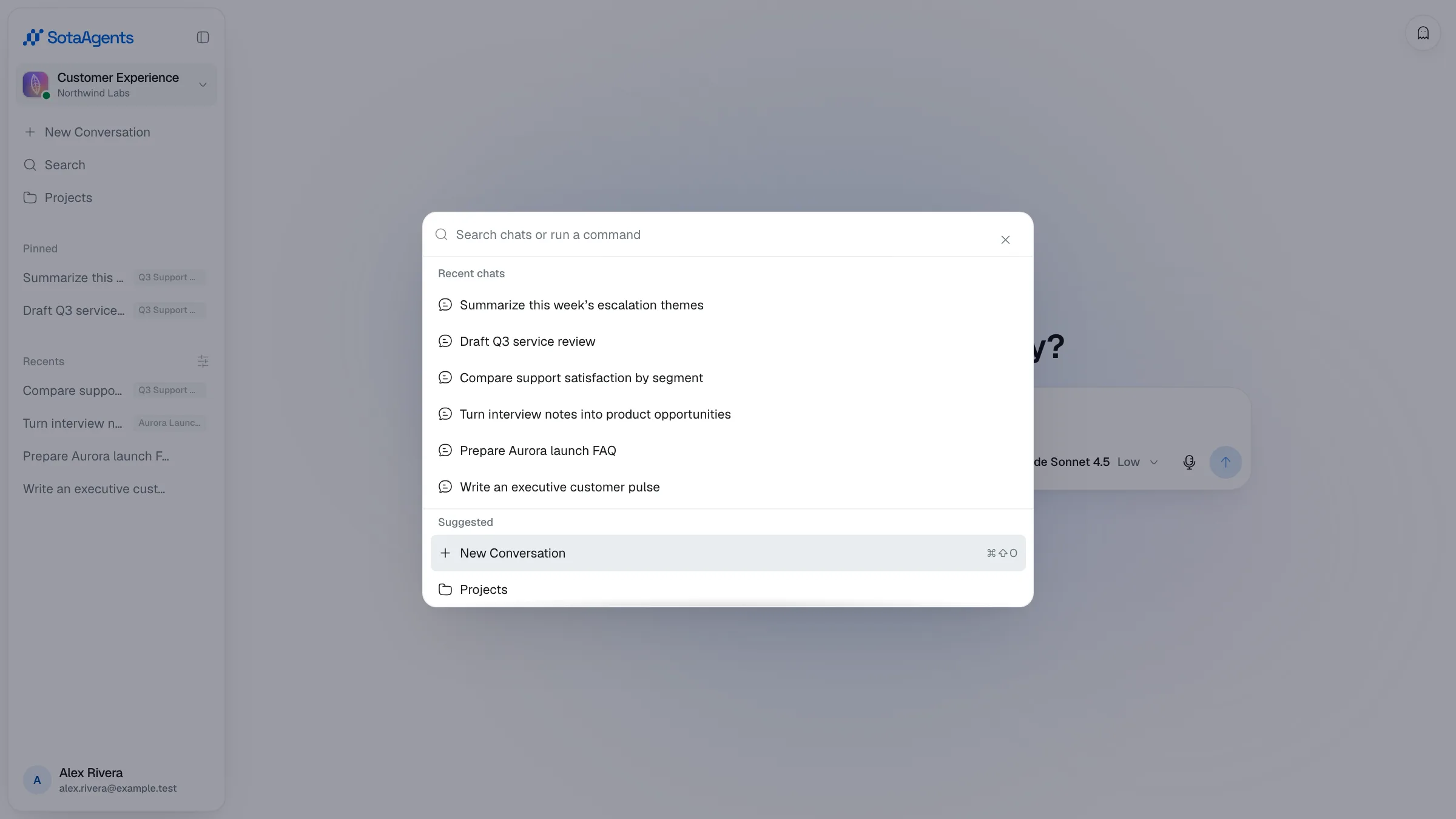
Click Search in the sidebar (or press ⌘K) to open the command palette: it lists your recent chats and lets you jump straight to one. You can also scroll the sidebar under Recents and click any conversation; the active one is highlighted.
Change grouping
Click the sliders icon next to Recents to open the Group by menu. Choose None (flat list), Date (Today, Yesterday, This Week…), or Project (grouped by project).
Start fresh
The New Conversation button at the top of the sidebar opens an empty conversation.
Fork a conversation#
Open a conversation's options menu in the sidebar or history bar and choose Fork to copy the complete thread into a new conversation. Forking from an assistant message branches at that exact reply. The original stays unchanged, and the new conversation is independent without an origin/provenance chip.
Pin, edit, retry, and steer#
Use a conversation's menu to pin it (up to 100 pinned conversations), rename it, move it to a project, share it, or delete it. During a run you can queue another message, then edit or remove queued items. Steer stops the current reply and sends the queued message next; message actions let you retry an assistant response or edit a historical user message to branch from that point.
Drafts and Incognito#
Unsent drafts are stored locally for the current user/workspace route and restored when you return to that route. Incognito disables draft persistence as well as history and Personal Memory.